Ask your documents. Keep them yours.
DocQuery reads a PDF and answers your questions with citations back to the exact page. It's built for legal and compliance work, and everything runs on the phone. No document, question, or answer is ever sent anywhere.
The whole network story
Here is every network call the app makes.
"Privacy-first" claims are usually vague. This one isn't. DocQuery makes two kinds of network request, and neither one contains your work. Extraction, embedding, search, and generation all run on the phone's own chip.
The full detail is in the Privacy Policy. It's short, because there's little to disclose.
How it works
From PDF to cited answer in three steps.
No upload and no waiting on a server. The phone does the reading.
Add a PDF
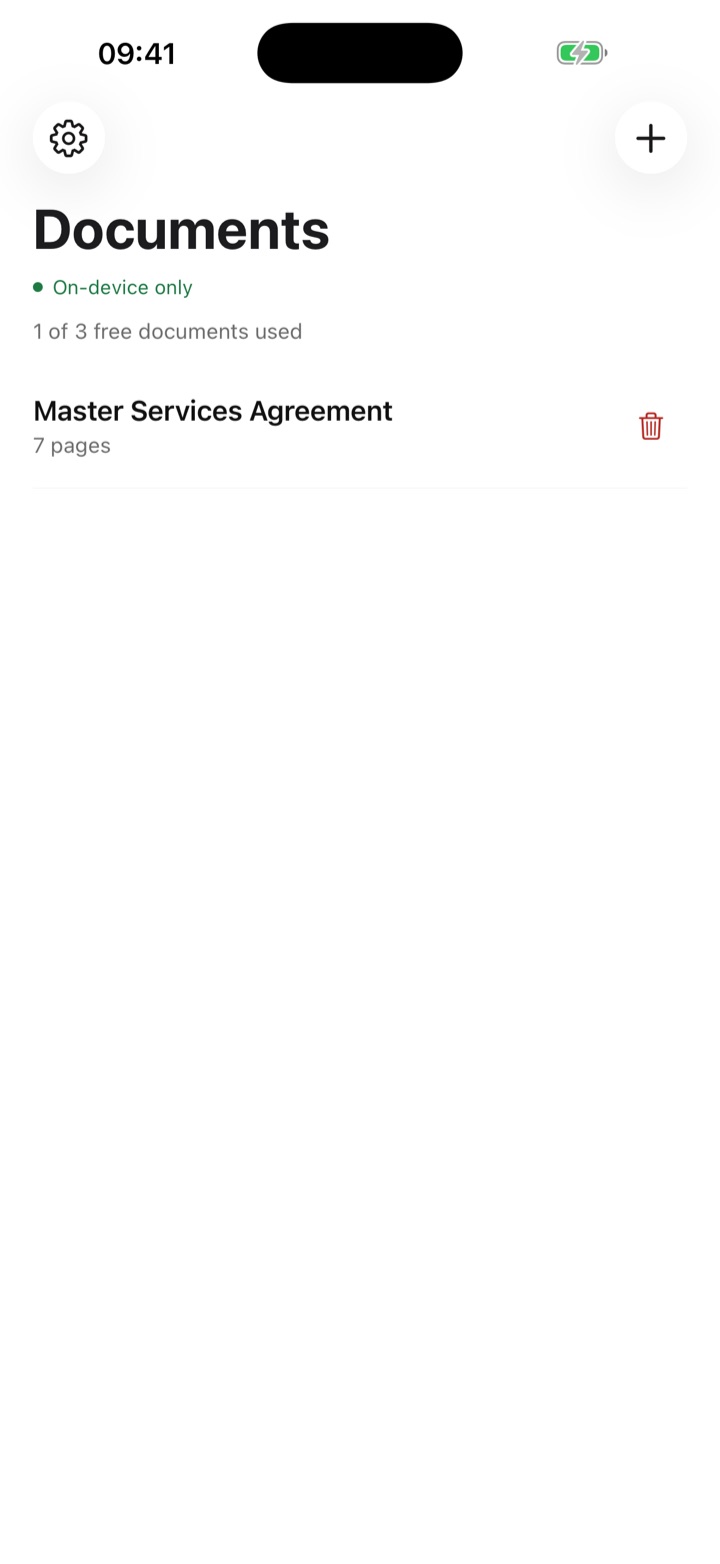
Tap + and choose a contract, policy, or filing. DocQuery indexes it on the device. Your library is labelled On-device only, because that's where it stays.
Ask in plain language
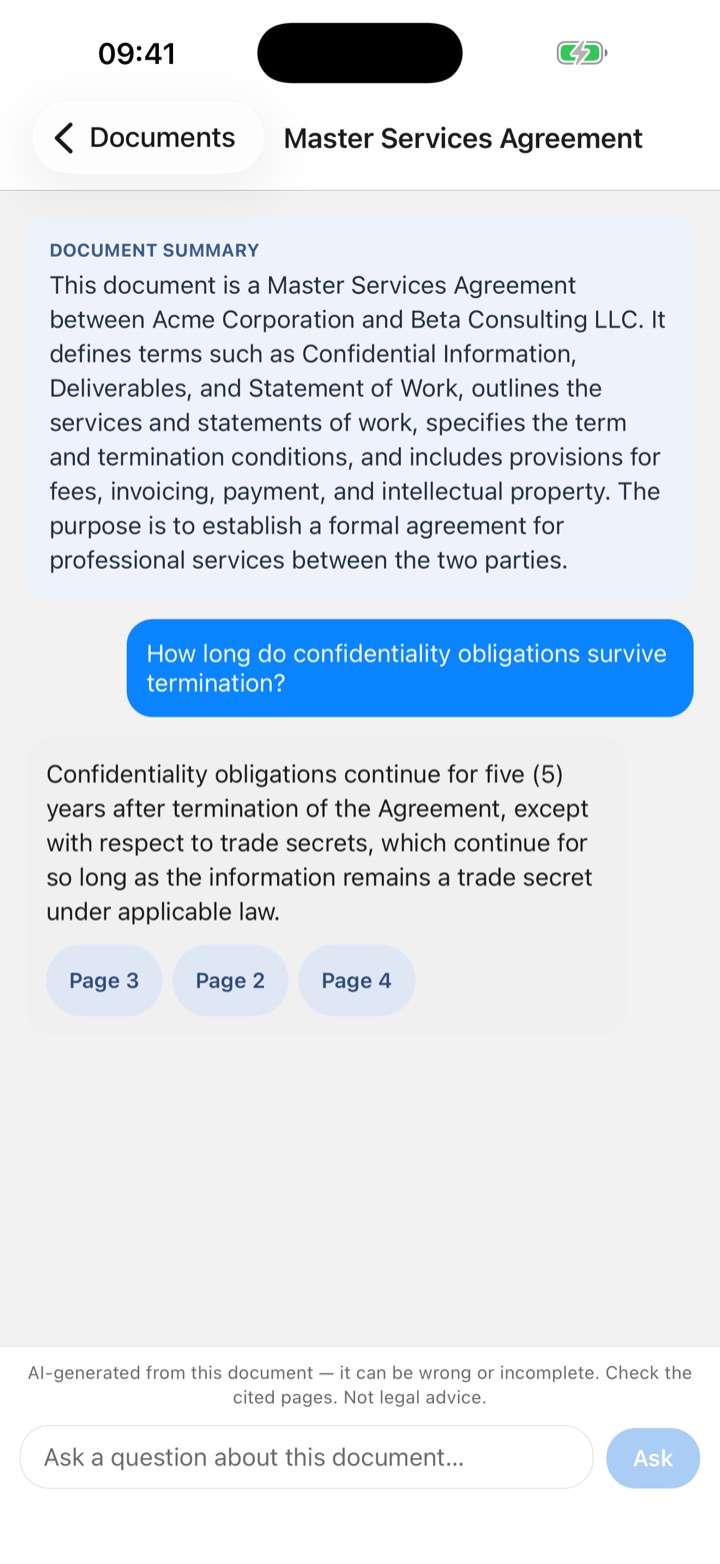
You get a summary of the document up front. Then ask what you need, the way you'd ask a colleague who has read every page.
Tap a page to check it
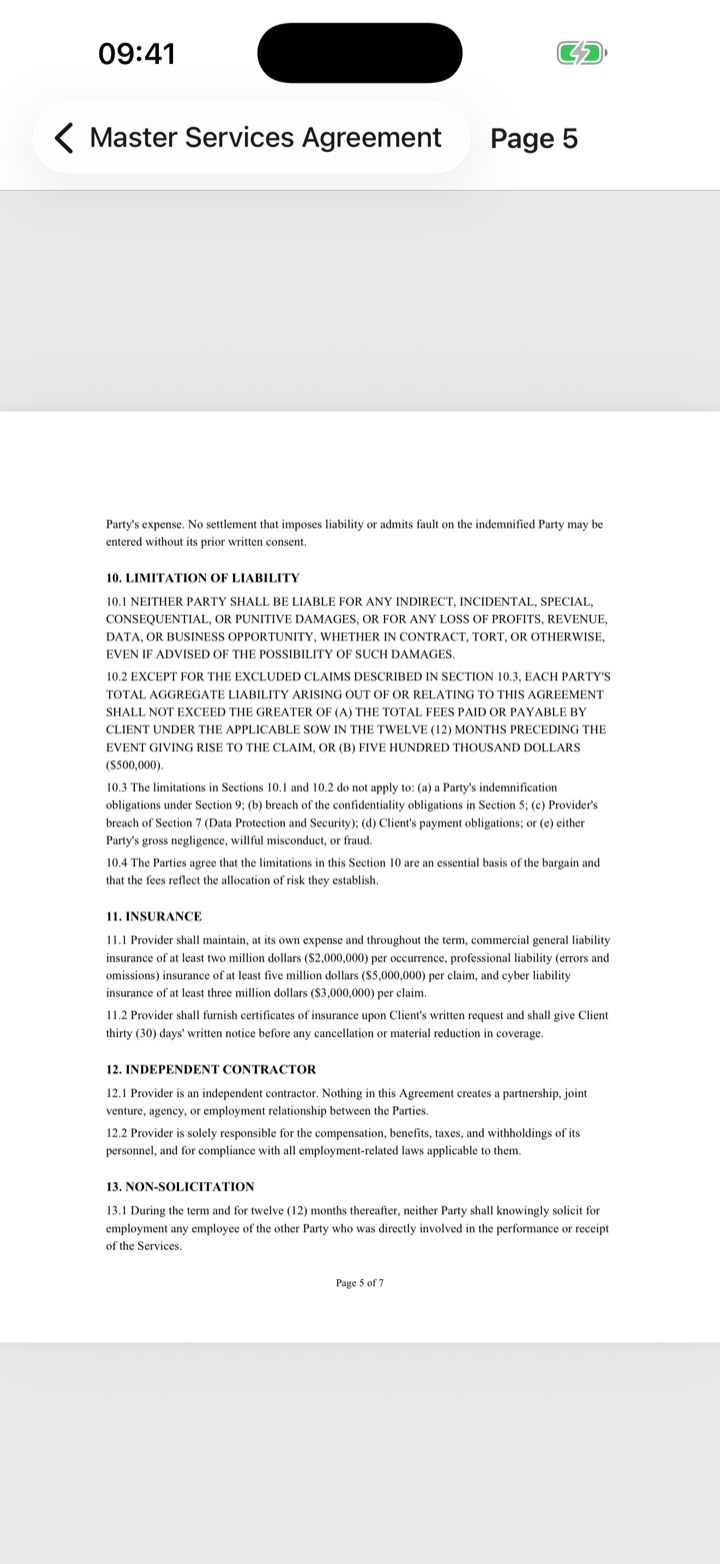
Every answer lists the pages it drew from. Tap one to open that page of the original PDF and read the source text yourself.
Don't take our word for it
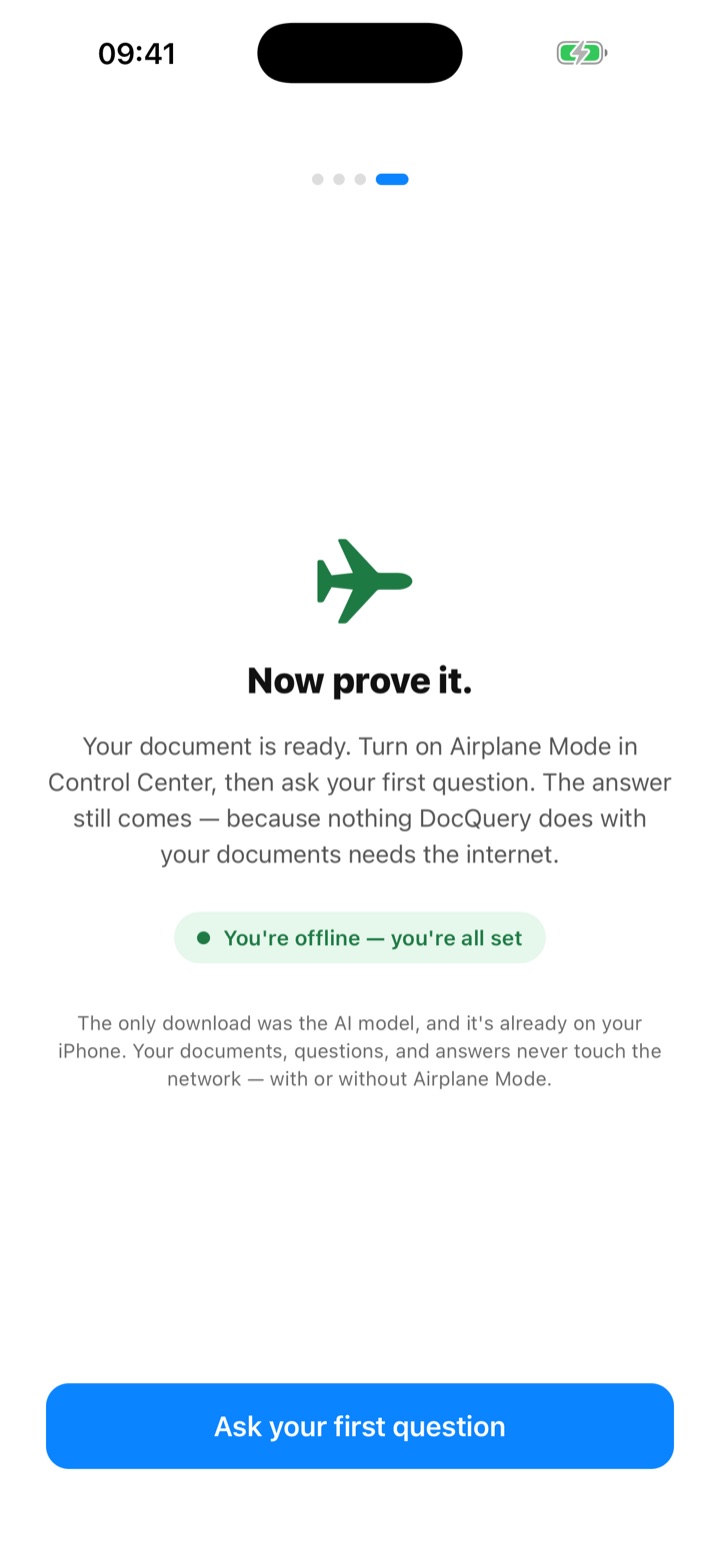
Turn on airplane mode. The answers keep coming.
The last onboarding screen asks you to test the claim yourself. Once the AI model is on your iPhone, nothing DocQuery does with your documents needs the internet.
- 01Add a document. The first time, DocQuery downloads its AI model (about 1 GB). That's the only download.
- 02Open Control Center and switch on Airplane Mode.
- 03Ask your first question. The cited answer still arrives, entirely offline.
Built for privileged material
For documents you can't paste into a chatbot.
Client files, unsigned drafts, internal policies. If confidentiality rules out cloud AI tools, an assistant that never connects to a server is the one you're allowed to use.
Commercial counsel
What happens to the IP on termination?
Compliance teams
Does this policy cover contractors?
Regulatory review
What are the reporting deadlines in section 4?
Litigation prep
When did the witness first mention the invoice?
A reading tool, not a lawyer. Answers come from a language model working over excerpts of your document. They can be incomplete or wrong even when a citation is shown. The citations are there so you can check, and you should.
Pricing
Try it free. Upgrade when it earns a place in your workflow.
$0
Everything on-device, with limits.
- Up to 3 documents
- 20 questions per day
- Cited answers and summaries
- The same privacy guarantees as Premium
$24.99/year
or $3.99/month. Everything unlimited, still 100% on-device.
- Unlimited documents
- Unlimited questions, every day
- Restore on another device with the same Apple Account
- Cancel anytime in iOS Settings
Prices in USD. The App Store shows the price in your local currency. Subscriptions renew automatically unless cancelled at least 24 hours before the period ends. See the Terms of Use.
Is my document uploaded anywhere?
No. The PDF is copied into the app's private storage on your iPhone, and text extraction, indexing, and answering all happen there. DocQuery has no server that could receive your document.
Does it work offline?
Yes. Once the AI model has downloaded (a one-time step of about 1 GB), you can turn on airplane mode and use the app as normal. DocQuery's onboarding even asks you to try it.
Do I need an account?
No. There's no sign-up and no DocQuery identity. Premium is tied to your Apple Account through the App Store, and you can restore it on another device with Restore Purchases.
How do citations work?
Before answering, DocQuery finds the passages in your document most relevant to the question. The answer is generated from those passages, and each one is shown with its page number so you can check it against the source.
Can I rely on the answers?
Use them to find things faster, not as the final word. Language models make mistakes, so DocQuery always shows its sources for you to verify. It doesn't replace professional judgment.
Which documents work best?
English-language PDFs with selectable text. The models are trained on English, so retrieval and answer quality drop sharply for documents in other languages. Scanned or image-only PDFs aren't supported yet. DocQuery tells you when you add one.
How much storage does it need?
About 1 GB for the AI model, plus your documents, which are usually small. Settings shows exactly how much space each one uses.
DocQuery for iPhone
Confidential documents, answered on the device.
Free to try. No account, no upload, no telemetry.